
Microbiology calculator
Antibiotic Stock Calculator
Calculate antibiotic stock volume, diluent volume, dilution factor, or powder mass for educational cell culture and microbiology reagent math.
Cell culture and reagent math
Calculate antibiotic stock or working volume
Use C₁V₁ = C₂V₂ for stock-to-working dilutions, or calculate how much powder to weigh for a stock solution.
Add this volume of stock, then bring the mixture to the selected final volume.
This result assumes the concentration units have been converted correctly and the final mixture volume equals stock volume plus diluent volume.
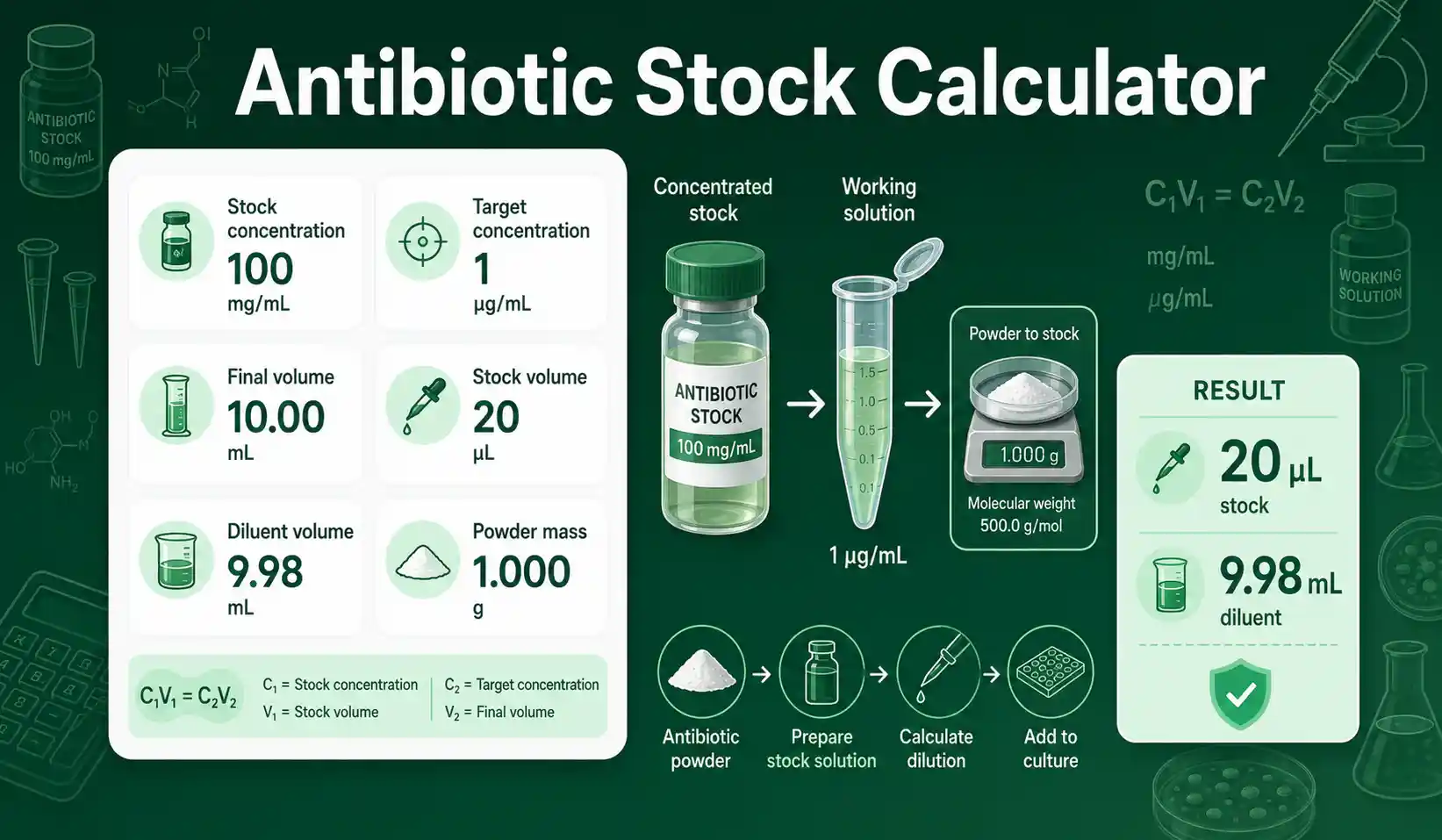
Antibiotic Stock Calculator for working solutions
The Antibiotic Stock Calculator helps students and lab workers calculate how much concentrated stock solution is needed for a lower working concentration. It is useful when a reagent is stored as a concentrated solution and a smaller amount must be added to medium, buffer, or another final mixture.
The tool accepts common concentration units such as mg/mL, µg/mL, and ng/µL. It also accepts final volumes in µL, mL, or L, so a small tube calculation and a larger bottle calculation can use the same method.
The calculator also includes a stock-preparation mode. That mode estimates how much powder is needed to prepare a stock solution at a chosen concentration and volume.
This page focuses on arithmetic and unit handling. It does not select an antibiotic, choose a biological system, or replace a course manual, safety document, product sheet, or institutional procedure.
How to use Antibiotic Stock Calculator correctly
In use-stock mode, enter the stock concentration as C₁. Enter the target working concentration as C₂. Enter the final working volume as V₂.
The calculator returns V₁, which is the stock volume to add. It also returns the diluent volume, which equals the final volume minus the stock volume.
In make-stock mode, enter the desired stock concentration and the final stock volume. Enter purity as 100% when you do not need a purity correction.
Unit choice matters. A stock concentration of 50 mg/mL equals 50,000 µg/mL, while 50 µg/mL is much more dilute.
Use consistent decimal values, check units before copying a result, and avoid rounding too early. Verify critical lab calculations independently before using them in real experiments.
Antibiotic Stock Calculator formula and assumptions
The working dilution formula is C₁V₁ = C₂V₂. C₁ is the stock concentration, V₁ is the stock volume, C₂ is the target working concentration, and V₂ is the final volume.
Solving for stock volume gives V₁ = C₂ × V₂ ÷ C₁. The calculator converts concentration to µg/mL and volume to mL before calculating the answer.
The diluent volume is V₂ − V₁. If V₁ is larger than V₂, the requested working concentration is not a dilution from that stock.
The powder mode uses mass = concentration × volume. If purity is less than 100%, the calculator divides the uncorrected mass by the purity fraction.
For background on dilution calculations, the OpenStax chemistry section on concentration of solutions explains how concentration, solute amount, and solution volume are connected.
Antibiotic Stock Calculator worked example
Given: stock concentration = 50 mg/mL, target concentration = 100 µg/mL, final volume = 10 mL.
Unit conversion: 50 mg/mL = 50,000 µg/mL.
Formula: V₁ = C₂ × V₂ ÷ C₁.
Substitution: V₁ = 100 µg/mL × 10 mL ÷ 50,000 µg/mL.
Result: V₁ = 0.02 mL, which equals 20 µL of stock.
Diluent volume: 10 mL − 0.02 mL = 9.98 mL.
Interpretation: Add 20 µL of the stock solution, then bring the mixture to a final volume of 10 mL under the method required by your course or lab document.
Antibiotic Stock Calculator results explained
A small stock volume means the stock solution is much more concentrated than the working solution. This is common when concentrated reagents are stored to save space and reduce repeated weighing.
A large stock volume means the stock is only slightly more concentrated than the target. That result may be inconvenient because it leaves little room for diluent.
The dilution factor tells you how many times the stock is diluted. A 500× dilution means one part stock contributes to 500 parts final mixture by concentration ratio.
Rounding matters most when the stock volume is very small. A result such as 0.4 µL may be difficult to handle accurately, so students should discuss whether an intermediate dilution is more appropriate for the exercise.
Antibiotic Stock Calculator mistakes to avoid
Do not mix up mg/mL and µg/mL. A value in mg/mL is 1000 times larger than the same number in µg/mL.
Do not use the stock volume as the final volume. The final volume is the total mixture after adding stock and diluent.
Do not ignore purity when an educational problem gives a purity value. A 95% pure powder requires more weighed mass than a 100% pure powder for the same solute amount.
Do not use this calculator for medical dosing. It is for non-clinical educational reagent calculations.
Antibiotic Stock Calculator use cases in lab work
Students can use the calculator to check C₁V₁ = C₂V₂ homework problems with realistic concentration units. The result helps them see why unit conversion comes before substitution.
Teachers can use the calculator to make classroom examples about concentrated stocks, working solutions, and dilution factors. It gives a clear answer that can be compared with hand calculations.
Lab workers can use the tool as a quick arithmetic check when a Stock Solution Calculator or Working Solution Calculator is related but not as specific to antibiotic-style stock math.
Researchers can use the output as a planning estimate, then verify the final calculation against the reagent label, safety guidance, and project-specific method.
Lab questions about Antibiotic Stock Calculator
What formula does the Antibiotic Stock Calculator use?
It uses C₁V₁ = C₂V₂ in working-solution mode after converting the selected units.
Can this calculator prepare a stock solution from powder?
Yes. The stock-preparation mode calculates the mass required from the desired concentration and volume, then applies the purity percentage.
Does this tool replace a laboratory protocol?
No. It supports educational math only. Always follow your course, lab manual, reagent documentation, and institutional safety rules.