
Delta Delta Ct Calculator for qPCR fold change
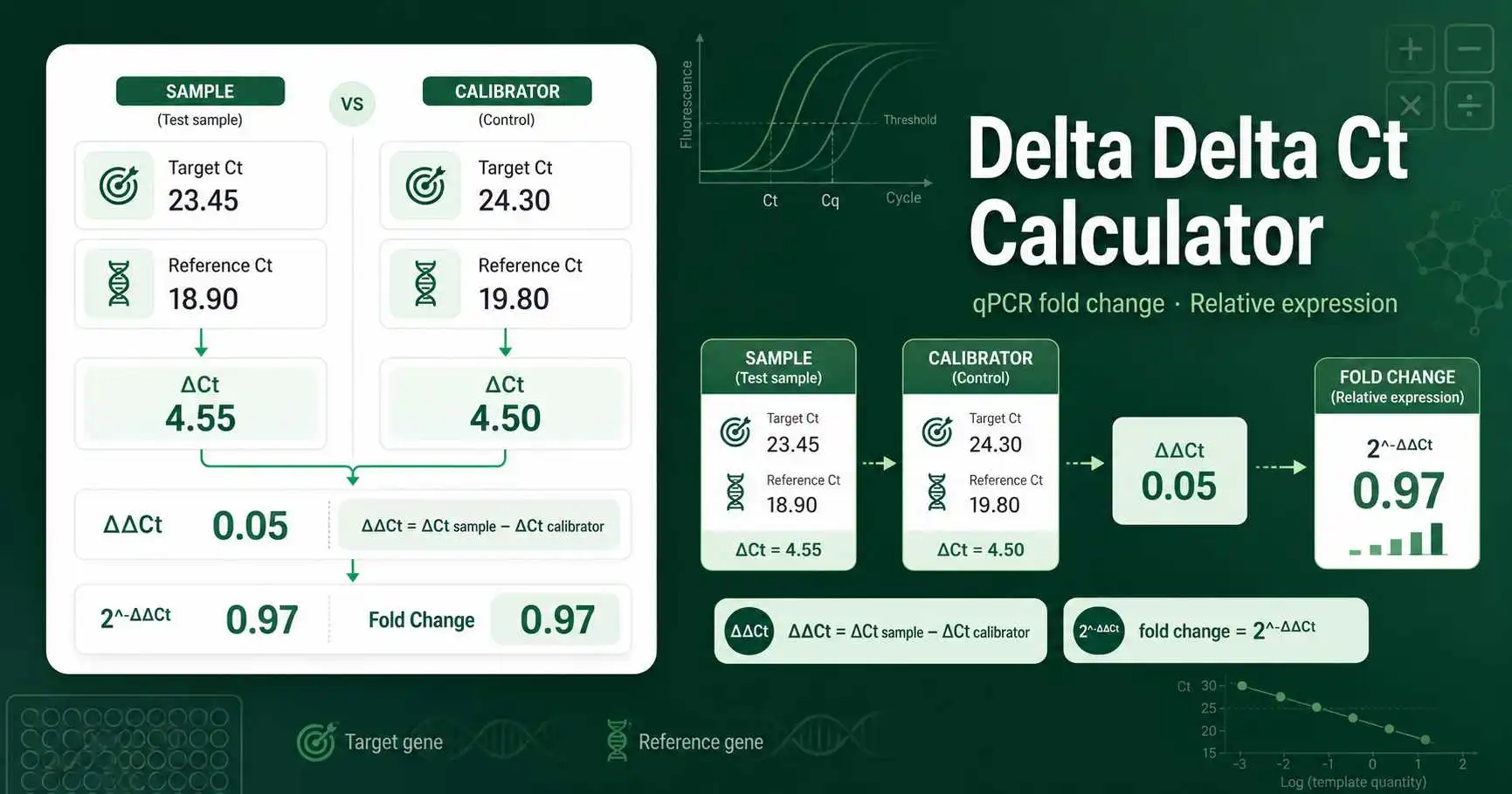
The Delta Delta Ct Calculator estimates relative gene expression from real-time PCR data. It compares a target gene with a reference gene, then compares that normalized value between a sample and a calibrator. The main output is fold change.
Use it when you have Ct or Cq values from a qPCR experiment and want a quick relative expression result. The calculator works best when your target gene and reference gene assays have similar PCR efficiency and your replicate Ct values are consistent.
Delta Delta Ct formula and qPCR values
The first step is normalization. Subtract the reference gene Ct from the target gene Ct for each condition. This gives ΔCt.
ΔCt = Ct target gene − Ct reference gene
The second step compares the sample condition with the calibrator or control condition. This gives ΔΔCt.
ΔΔCt = ΔCt sample − ΔCt calibrator
With ideal 100% PCR efficiency, relative fold change is calculated as 2 raised to the negative ΔΔCt value.
fold change = 2^-ΔΔCt
This tool also lets you enter PCR efficiency. If efficiency is 100%, the amplification factor is 2. If efficiency is 95%, the amplification factor is 1.95. The adjusted calculation uses that factor instead.
Worked example for 2^-Delta Delta Ct
Imagine a treated sample has a target gene mean Ct of 24.21 and a reference gene mean Ct of 19.88. The sample ΔCt is 4.33. The control calibrator has a target gene mean Ct of 26.47 and a reference gene mean Ct of 20.26. The calibrator ΔCt is 6.21.
Now subtract the calibrator ΔCt from the sample ΔCt. The ΔΔCt is 4.33 − 6.21 = -1.88. The standard fold change is 2^1.88, which is about 3.68. This means the target gene is about 3.68 times higher in the treated sample after reference-gene normalization.
How to enter qPCR Ct replicates
Enter target and reference Ct values for the sample condition. Then enter target and reference Ct values for the calibrator condition. You can paste triplicates separated by commas, spaces, or line breaks. The tool calculates the mean Ct and standard deviation for each group.
If you already calculated mean Ct values with the Ct Mean Calculator, you can enter one mean value in each field. If you are still checking normalization, compare your intermediate values with the Delta Ct Calculator.
Practical use cases for Delta Delta Ct analysis
Use case one is gene-expression comparison. A student may compare a treated plant sample with an untreated control. The target gene might be a stress-response gene. The reference gene might be actin, GAPDH, 18S rRNA, or another validated housekeeping gene.
Use case two is assay reporting. A lab worker may summarize qPCR expression results for a report by listing mean Ct, ΔCt, ΔΔCt, fold change, and replicate spread. The fold change gives a direct expression comparison, while the replicate notes show whether the Ct values need review.
Use case three is troubleshooting. If a fold change looks very large, check whether the reference gene Ct is stable. A shifting reference gene can distort ΔCt and make the final ΔΔCt result misleading.
How to interpret qPCR fold change
A fold change above 1 suggests higher relative expression in the sample. A fold change below 1 suggests lower relative expression. A fold change near 1 suggests little change after normalization.
For down-regulation, many reports convert a fold change below 1 into a clearer phrase. For example, a fold change of 0.25 can be described as 4-fold lower expression. The calculator provides this interpretation automatically.
What to verify before reporting ΔΔCt results
Verify primer specificity, melt curve quality, no-template controls, no-reverse-transcription controls, reference gene stability, and PCR efficiency. The ΔΔCt method assumes the sample and calibrator are comparable and that normalization corrects input differences.
The classic paper by Livak and Schmittgen explains the relative gene expression method commonly called the 2^-ΔΔCt method.Analysis of relative gene expression data using real-time quantitative PCR and the 2^-ΔΔCt method