
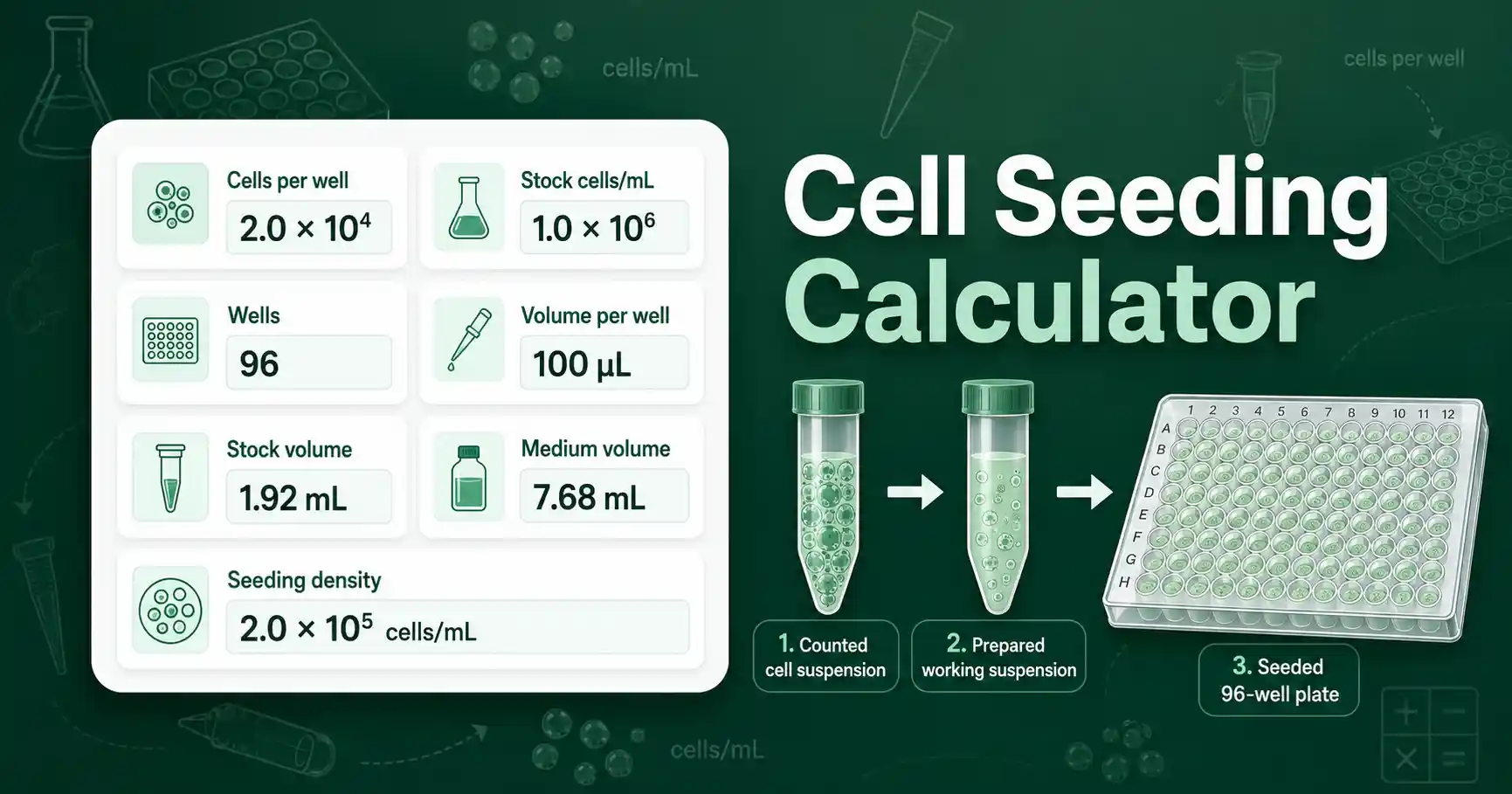
Cell Seeding Calculator for cells per well
The Cell Seeding Calculator turns a target cell number into a practical mixing plan. It helps you calculate the stock cell suspension volume, the medium volume, the total working suspension, and the final seeding density.
This calculation is useful when you prepare a cell culture plate for growth curves, cytotoxicity studies, transfection setup, viability checks, staining assays, or imaging. It also helps students understand how cell concentration, plate format, and final volume fit together.
The tool works from common lab inputs: target cells per well, number of wells, measured stock concentration in cells/mL, and final volume per well in microliters. It can also add extra mix for pipetting loss and correct the stock concentration by viability percentage.
If your measured concentration came from a manual count, use the same counted stock concentration you would use in a Hemocytometer Calculator. If you already know a starting and final concentration, the Cell Dilution Calculator may be the simpler next step.
How to use Cell Seeding Calculator correctly
Start with the target cells per well. This value is the number of cells you want to place into each well before attachment, growth, treatment, or measurement.
Enter the number of wells that will receive cells. The calculator can use standard plate formats, but you can choose a custom well count for partial plates, dishes, or flasks.
Enter the stock cell concentration in cells/mL. This value should come from a fresh count, an automated counter, or another validated measurement.
Enter the final volume per well in µL. A 96-well plate often uses 100 µL per well, but assay design, cell type, and plate geometry can change that volume.
Use the advanced mode when you want extra working suspension. Extra volume helps when you use reservoirs, multichannel pipettes, or many replicate wells.
Use viability correction only when the stock concentration is a total-cell concentration and the target is viable cells per well. In that case, the calculator lowers the effective stock concentration according to the viability percentage.
Cell Seeding Calculator formula and assumptions
The main calculation starts with total cells needed. The calculator multiplies cells per well by the number of wells and then applies the extra mix percentage.
Total cells needed = cells per well × number of wells × overage factor
Stock volume in mL = total cells needed ÷ effective stock concentration
Medium volume = total final volume − stock volume
The effective stock concentration equals the measured concentration unless viability correction is enabled. With viability correction, effective stock concentration equals measured concentration × viability fraction.
The target seeding density is cells per well divided by volume per well in mL. For example, 10,000 cells in 0.1 mL equals 100,000 cells/mL.
The calculator assumes the cell suspension is mixed evenly. It also assumes the measured concentration represents the suspension you will pipette from.
This tool does not replace lab validation. Verify critical lab calculations independently before using them in real experiments.
For general background on cell culture handling and aseptic technique, the ATCC animal cell culture guide is a useful educational reference.
Cell Seeding Calculator worked example
Suppose you want to seed 24 wells with 10,000 viable cells per well. Your counted stock suspension is 1.0 × 10⁶ cells/mL. You want 100 µL per well and 10% extra suspension for pipetting loss.
Given values
- Cells per well = 10,000 cells
- Number of wells = 24
- Stock concentration = 1.0 × 10⁶ cells/mL
- Final volume per well = 100 µL
- Extra mix = 10%
Substitution
Total cells = 10,000 × 24 × 1.10 = 264,000 cells.
Stock volume = 264,000 ÷ 1,000,000 = 0.264 mL.
Total final volume = 24 × 100 µL × 1.10 = 2,640 µL.
Medium volume = 2,640 − 264 = 2,376 µL.
The result means you prepare 2.64 mL of working cell suspension by mixing 264 µL of stock cell suspension with 2,376 µL of medium. You then add 100 µL to each well.
The final seeding density is 10,000 cells ÷ 0.1 mL = 100,000 cells/mL. This value helps you compare the working suspension against the measured stock concentration.
Cell Seeding Calculator results explained
The stock suspension volume tells you how much of the counted cell suspension to transfer into the working mix. A very small stock volume can increase pipetting error, so consider preparing a larger total volume when the calculated amount is difficult to pipette accurately.
The medium volume tells you how much diluent, complete medium, buffer, or treatment medium you need to reach the final working volume. Use the same liquid phase required by your assay design.
The total cells needed value is useful for checking whether your cell pellet or suspension contains enough cells for the plate. It also helps when you scale a protocol from a few wells to a full plate.
The target seeding density shows the final cell concentration in the working suspension. The stock must be more concentrated than this final density for a dilution-based setup to work.
If the calculator reports that the stock suspension is not concentrated enough, the calculation is not a rounding problem. It means the target requires more cells per mL than the stock can provide at the selected final volume.
Cell Seeding Calculator mistakes to avoid
Do not mix up cells per well with cells/mL. Cells per well describes the dose in one well, while cells/mL describes the concentration of the suspension.
Do not enter volume per well in mL when the calculator asks for µL. A 100-fold or 1000-fold unit mistake can completely change the seeding plan.
Do not forget to include control wells if they receive the same cell suspension. Excluding controls makes the prepared volume too low.
Do not apply viability correction twice. If your counter already reports viable cells/mL, leave the viability correction off.
Do not assume a single seeding density fits every cell type. Growth rate, attachment efficiency, assay duration, passage number, and plate surface area can all change the best starting density.
Cell Seeding Calculator use cases in lab work
A student can use this calculator to learn how a counted suspension becomes a working seeding suspension. The result links a simple dilution calculation to a real plate layout.
A teacher can use the tool to create classroom problems where students compare 24-well, 96-well, and 384-well formats. Changing the volume per well shows why concentration matters.
A lab worker can use it before preparing replicate wells for viability, staining, or imaging assays. The extra mix option helps reduce the chance of running out of suspension during pipetting.
A researcher can use it to scale a pilot experiment into a larger plate format. The total cells needed output makes it easier to check whether the available culture is enough for all conditions.
Cell Seeding Calculator quality checklist
- Confirm the stock concentration is fresh and measured in cells/mL.
- Confirm whether the target means total cells or viable cells per well.
- Check that the final volume per well matches the assay format.
- Add enough extra working suspension for reservoirs and pipetting loss.
- Review whether the calculated stock volume can be pipetted accurately.
- Record the calculation in your lab notebook or worksheet.
Lab Questions About Cell Seeding Calculator
What does a Cell Seeding Calculator calculate?
It calculates total cells needed, stock cell suspension volume, medium volume, and target seeding density from cells per well, well count, stock concentration, and culture volume.
Should I correct cell seeding for viability?
Correct for viability when your target is viable cells per well and your counted concentration includes dead cells. The effective stock concentration becomes total concentration multiplied by viability percentage.
Why is the stock volume sometimes too large?
The stock volume becomes too large when the measured suspension is less concentrated than the target final seeding density. In that case, the cells must be concentrated or the seeding target must be lowered.
How much extra cell suspension should I prepare?
Many plate setups use 5% to 15% extra volume to cover pipetting loss. The right overage depends on the number of wells, pipette accuracy, reservoir dead volume, and lab practice.